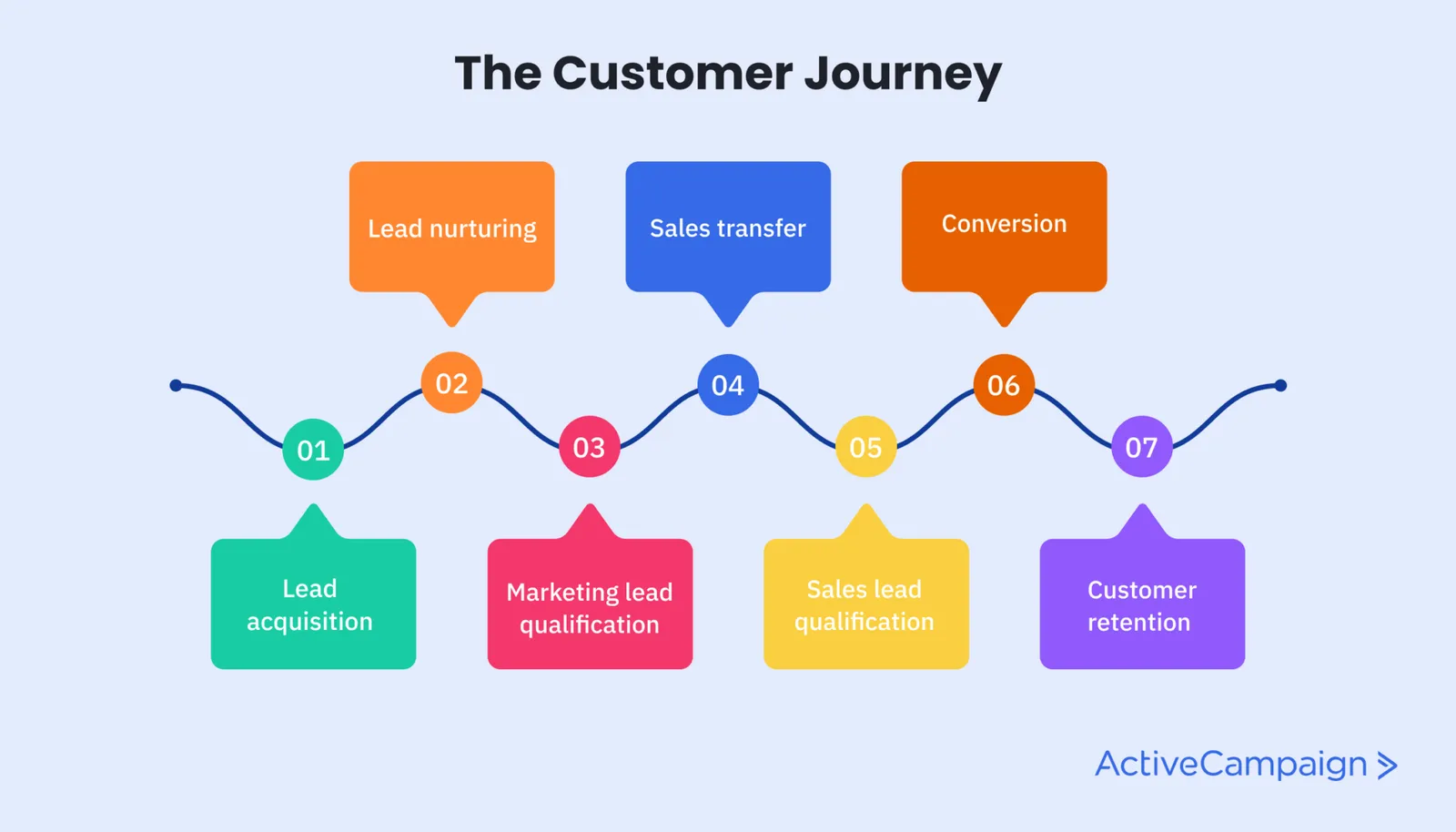
In the fast-paced world of business, CRM workflows are essential for automating and optimizing customer interactions, improving sales processes, and enhancing overall operational efficiency. A well-designed CRM workflow helps businesses systematically manage tasks, follow-ups, and communications, ensuring no opportunity is missed and customer relationships are nurtured effectively.
This article explores the concept of CRM workflow, its benefits, key components, and best practices to help your business achieve streamlined customer management and superior growth in 2025.
What Is a CRM Workflow?
A CRM workflow is a predefined series of automated actions or steps within a CRM system that guides sales, marketing, or customer service processes. Workflows are designed to reduce manual tasks, enforce business rules, and ensure consistency across customer interactions.
CRM workflows automate repetitive tasks such as sending emails, assigning leads, updating records, and scheduling follow-ups, freeing your team to focus on high-value activities.
Core Components of a CRM Workflow
Understanding the building blocks of an effective CRM workflow is crucial for creating systems that deliver results:
1. Triggers
Triggers are events or conditions that initiate a workflow. Common triggers include:
- New lead creation
- Contact form submission
- Deal stage changes
- Customer support ticket updates
2. Actions
Actions are tasks that the CRM automatically performs once triggered. Examples include:
- Sending personalized emails or SMS messages
- Assigning leads to sales reps
- Creating tasks or reminders
- Updating contact or deal records
3. Conditions
Conditions set parameters that determine the path a workflow takes. For instance:
- If a lead scores above a certain threshold, send a high-priority alert.
- If a customer has not responded in 3 days, trigger a follow-up task.
4. Delays
Delays add waiting periods between actions, allowing for timely communication without overwhelming the customer, such as waiting 48 hours before sending a reminder email.
Benefits of Implementing CRM Workflows
1. Increased Efficiency
By automating routine tasks, your team saves time and minimizes errors, leading to faster response times and smoother operations.
2. Improved Lead Nurturing
Consistent, timely engagement with prospects moves them through the sales funnel more effectively, increasing conversion rates.
3. Enhanced Customer Experience
Automation ensures customers receive personalized, relevant communication based on their behavior and preferences.
4. Better Sales and Marketing Alignment
Workflows create transparency by ensuring both teams follow standardized processes, improving collaboration and outcomes.
5. Data-Driven Insights
Automated tracking and reporting provide valuable insights into customer behavior, campaign effectiveness, and sales performance.
Popular CRM Workflow Use Cases
Lead Management
Automatically assign new leads to sales reps based on territory or lead source and send introductory emails to prospects.
Sales Pipeline Automation
Move deals through pipeline stages with automated status updates, reminders for follow-ups, and contract sending.
Customer Support
Trigger support ticket creation, route requests to appropriate agents, and send customer satisfaction surveys upon ticket resolution.
Marketing Campaigns
Launch multi-step drip campaigns triggered by customer actions like website visits or downloads, nurturing leads without manual intervention.
Best Practices for Creating Effective CRM Workflows
- Map Your Processes First: Before automating, document your current sales, marketing, or service processes to identify bottlenecks and opportunities for automation.
- Keep It Simple: Start with basic workflows and gradually add complexity to avoid confusion and errors.
- Personalize Automation: Use dynamic content and customer data to tailor messages for better engagement.
- Test Thoroughly: Run tests to ensure workflows trigger correctly and actions execute as expected.
- Monitor and Optimize: Regularly review workflow performance and update steps based on changing business needs and customer feedback.
Tools to Build CRM Workflows
Many leading CRM platforms come with built-in workflow automation capabilities, including:
- Salesforce: Offers highly customizable workflow rules and process builder tools.
- HubSpot: Intuitive drag-and-drop workflow editor ideal for marketing and sales automation.
- Zoho CRM: Provides workflow automation with triggers, alerts, and task creation.
- Pipedrive: Visual pipeline management with automation features.
- Microsoft Dynamics 365: Comprehensive automation integrated with AI and analytics.
Conclusion
Implementing a robust CRM workflow is a game-changer for businesses aiming to boost productivity, enhance customer interactions, and grow revenue. By automating repetitive tasks and enforcing consistent processes, CRM workflows empower sales, marketing, and support teams to focus on building meaningful relationships and closing deals faster.
Invest in developing tailored CRM workflows in 2025 to stay ahead of the competition and deliver exceptional customer experiences at every touchpoint.